Vivint 2025
Redesigning the Activity Feed: +75% Engagement for churn-prone users
With over 350,000 daily active users, the Activity feed helps Vivint customers understand activity in and around their homes.
Customers who used the Vivint app less than 9 times over 90 days are 250% more likely to churn than those who use it 10+ times. This redesign boosted engagement 75% among churn-prone users and increased daily active users by 8%.
My role
Lead designer
Project type
Product design
Discovery research
Opportunity
Proposal
Define and prioritize user goals in the feed, then design an experience that helps users complete those tasks, increasing engagement and reducing attrition.
We had a feed... but not a very helpful one
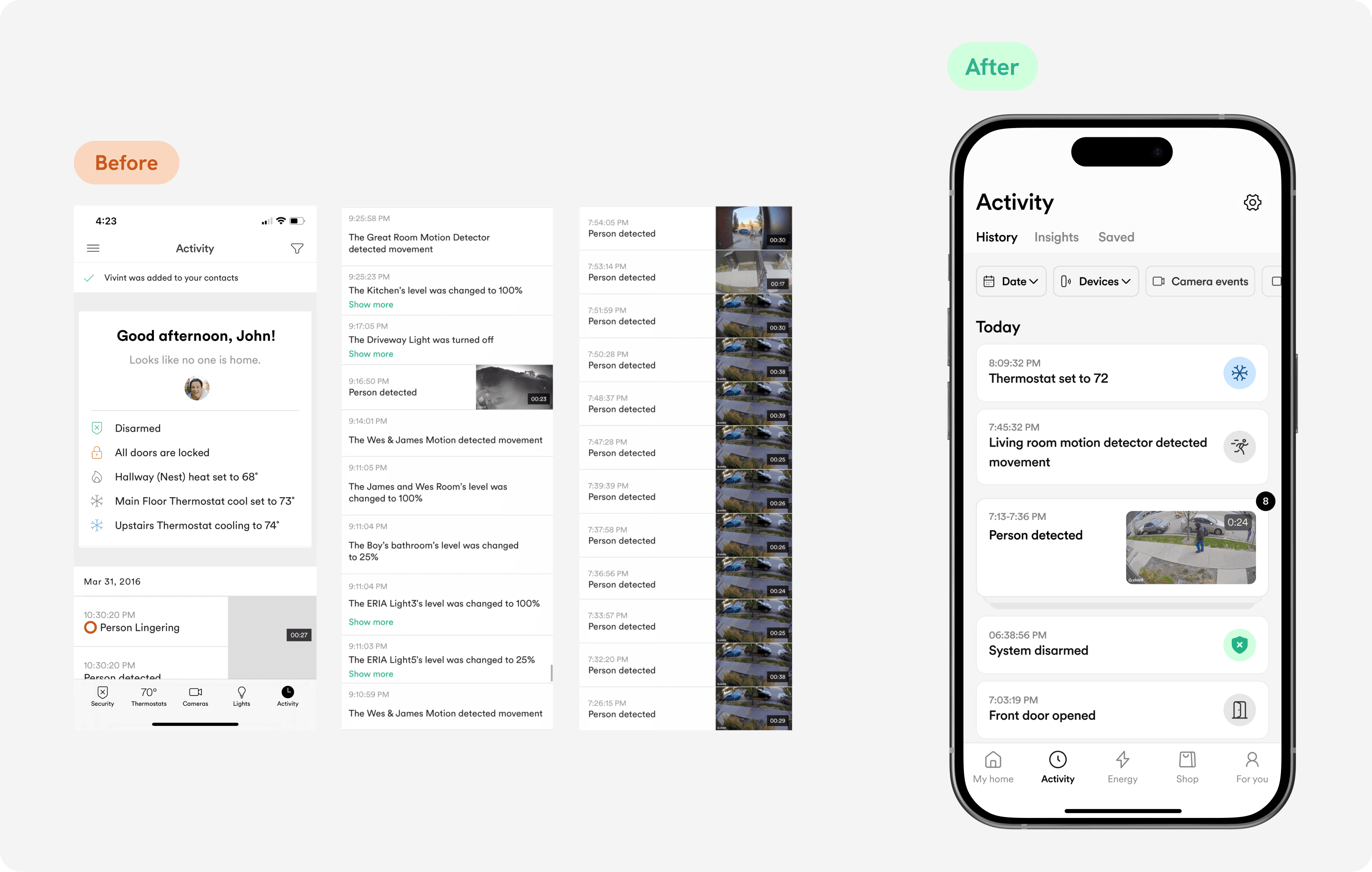
The old feed was full of text walls, repetitive events, and identical thumbnails with no easy way to sort out what was important. The new feed introduces hierarchy, filtering, and scan-ability to help users understand home activity.
Impact & Results
By increasing engagement 75% among at-risk users, the redesign increased engagement and likely reduced attrition. We also saw an increase in both daily and monthly active users.
21%
Increase in feature stickiness
75%
Increase in engagement among less active users
8%
Increase in Daily Active Users

Discovery Research
Understanding user needs
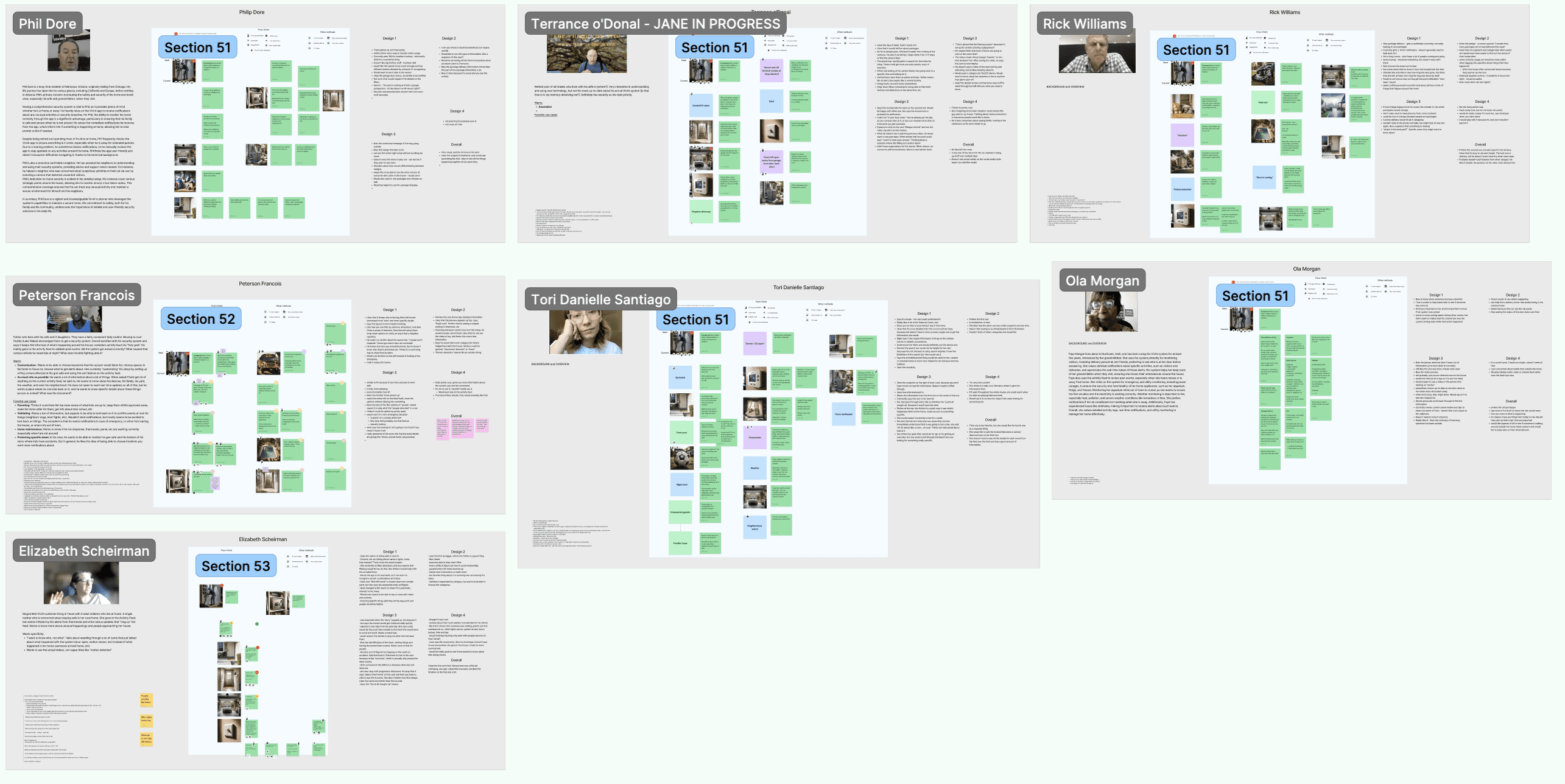
Partnering with the Research and Insights team, I developed discussion guides and led interviews to uncover what activity users want to know about, how they access that information, and their overall experience finding it.
Testing formats with users
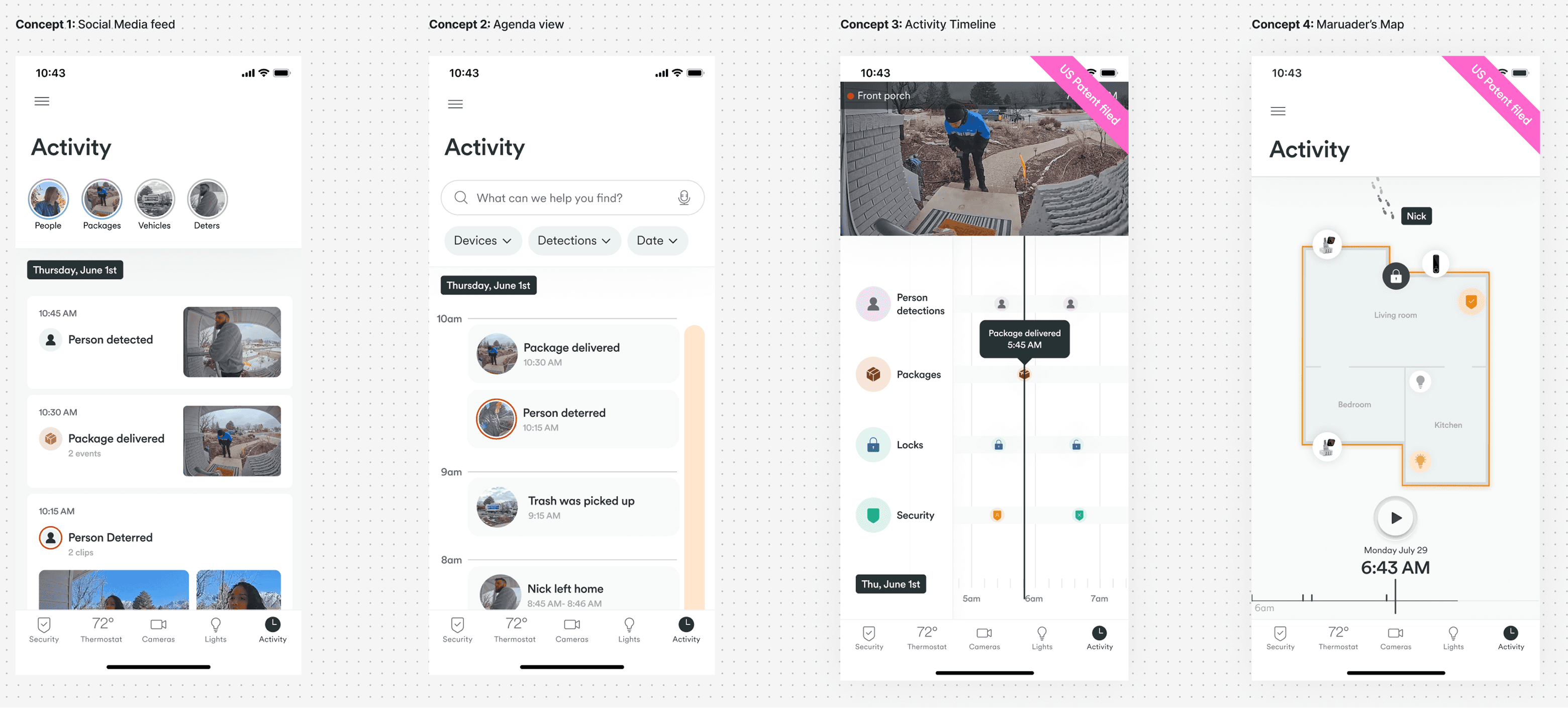
To explore user thinking, I created a set of design concepts to spark conversation and uncover how users interpret home activity.
While the timeline provided a high-level overview of activity, and the map concept sparked conversation about how helpful it would be during a game of hide-and-seek, the feed was still the right fit to provide the level of detail users needed to verify and investigate home activity.
Two of these concepts were later filed with the US Patent Office.
High-level tasks
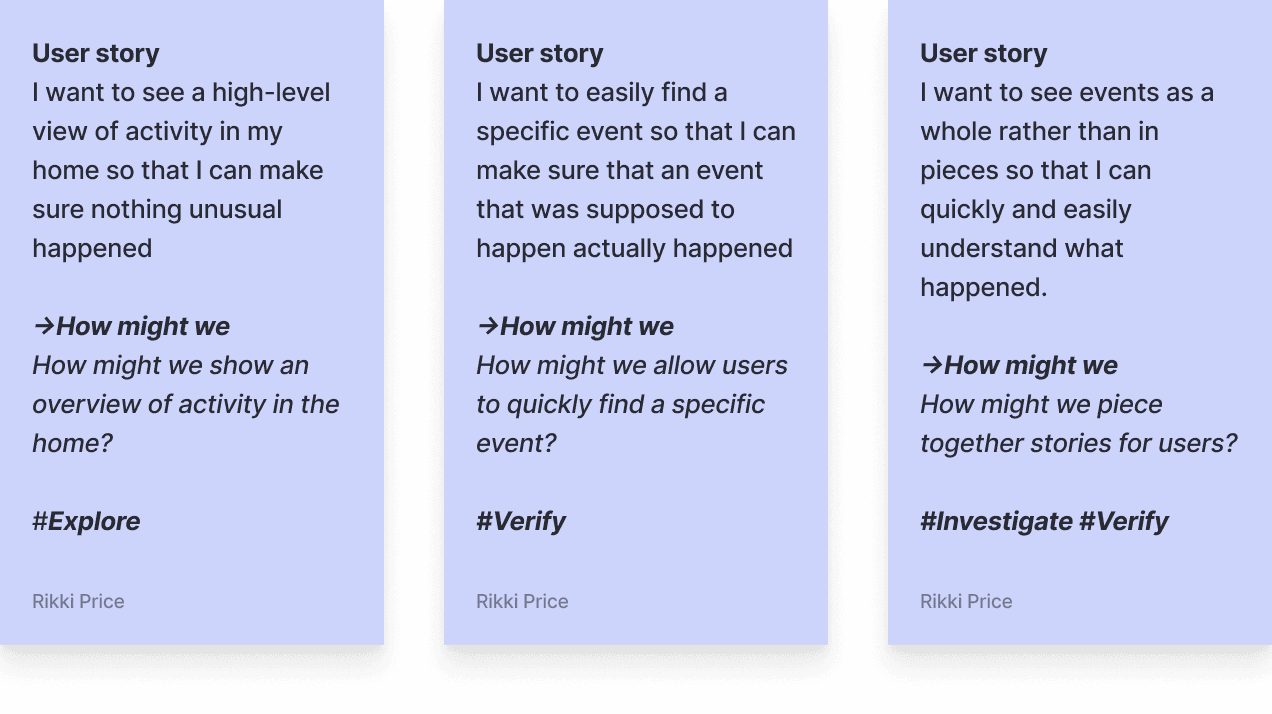
Customers used the feed for 3 high-level tasks:
Verify
that an event that was supposed to happen, did happen
Explore
general activity in the home
Investigate
details about an event
Exploring granular design decisions
For each user story, I explored design concepts and led reviews with the design team to evaluate options and refine patterns.
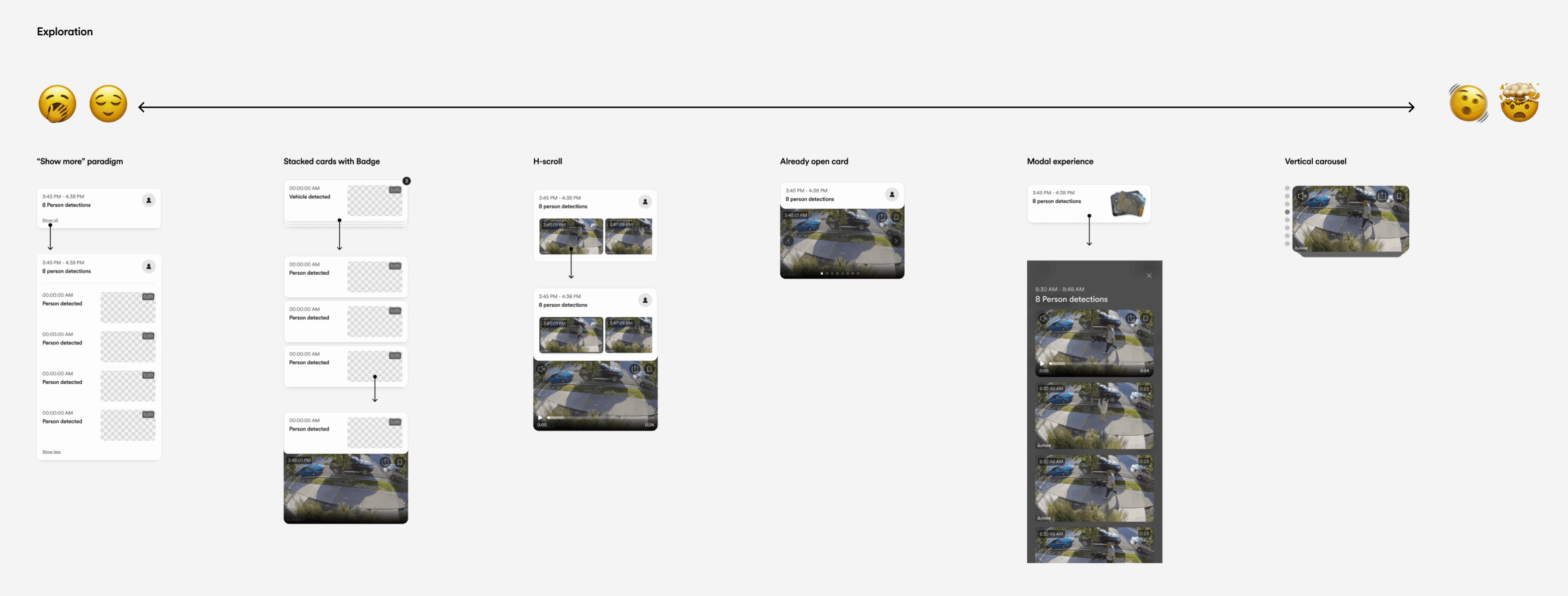
Mapping out design iterations
This project was one of the first large-scale projects at Vivint to adopt an agile workflow. We started with low-effort, high-impact changes, and mapped out more ambitious features to tackle iteratively.
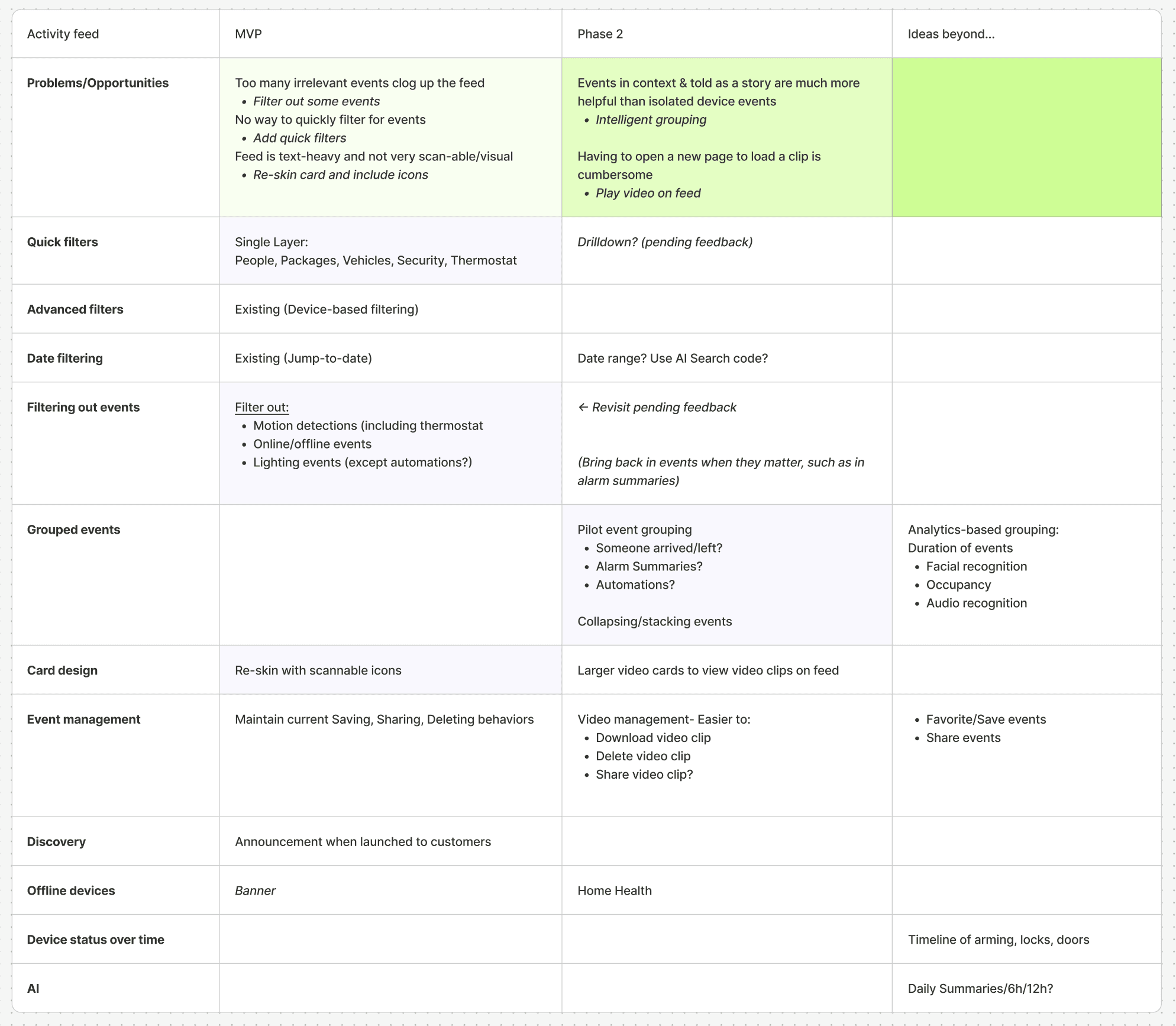
MVP launch: Quick wins
We kicked off with three changes to the feed to improve usability and support user engagement.
Explore
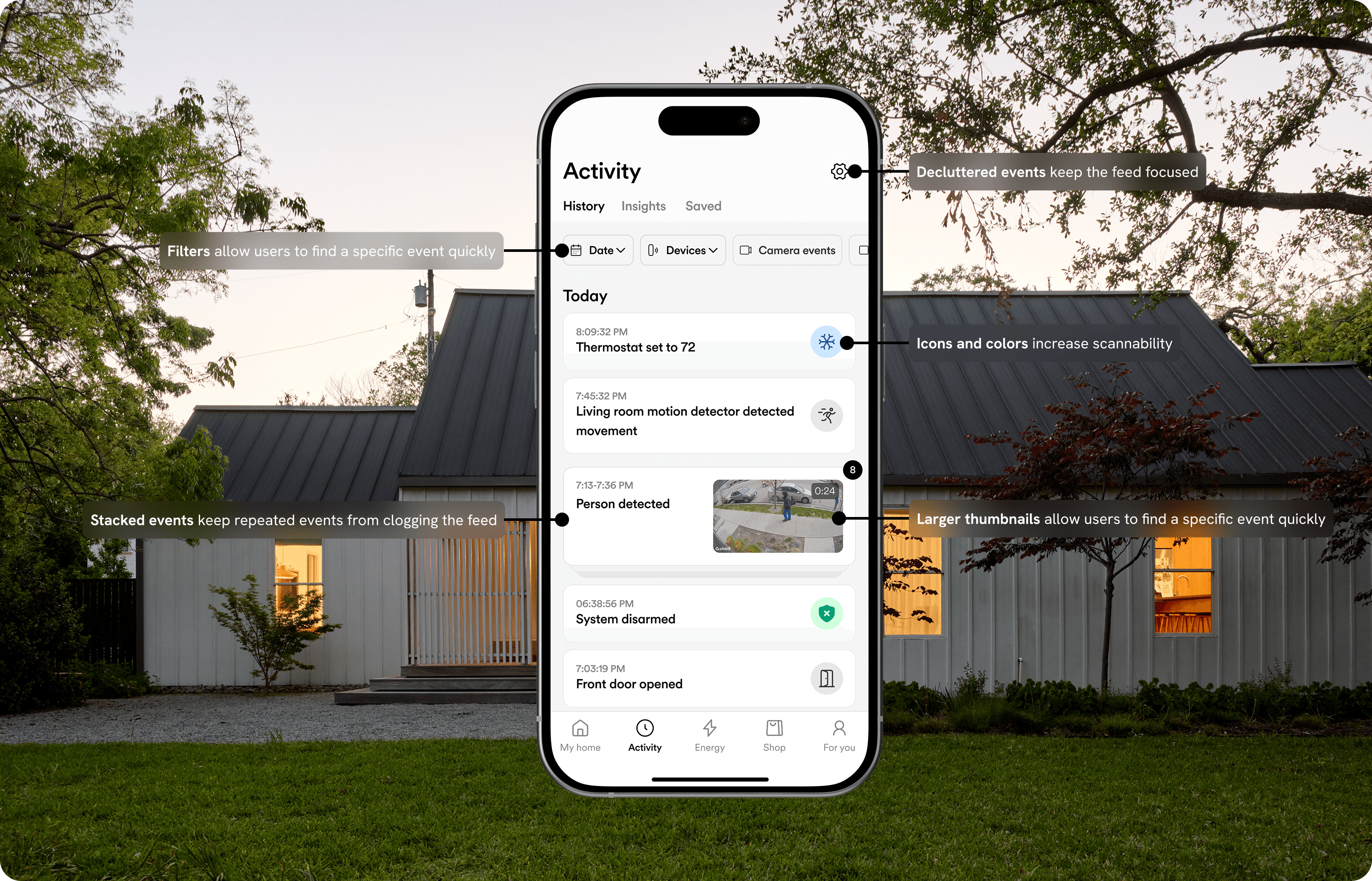
De-cluttered events
Filtering out unhelpful events keeps the feed clean and focused on relevant activity.
Motion detections
HVAC kicking on/off
Lights dimmed or turned on/off
Investigate
Verify
Easy filtering
Filtering by date, devices, and commonly investigated events makes it easier for users to find specific events.
Explore
Verify
Investigate
Visual refresh
The new feed features a visual redesign that makes it more functional and beautiful.
Icons & touches of color
Larger thumbnails
More white space
What we got wrong
In an effort to declutter the feed, we hid motion detections based on research that pointed to it being a nuisance to users. In production, however, over 70,000 people went into settings to manually unhide them, so we defaulted back to showing motion detections while maintaining the option to hide.
Phase 2: Connecting Activity Across the Feed
The second phase focused on presenting information clearly, reducing the burden on users to piece together what happened.
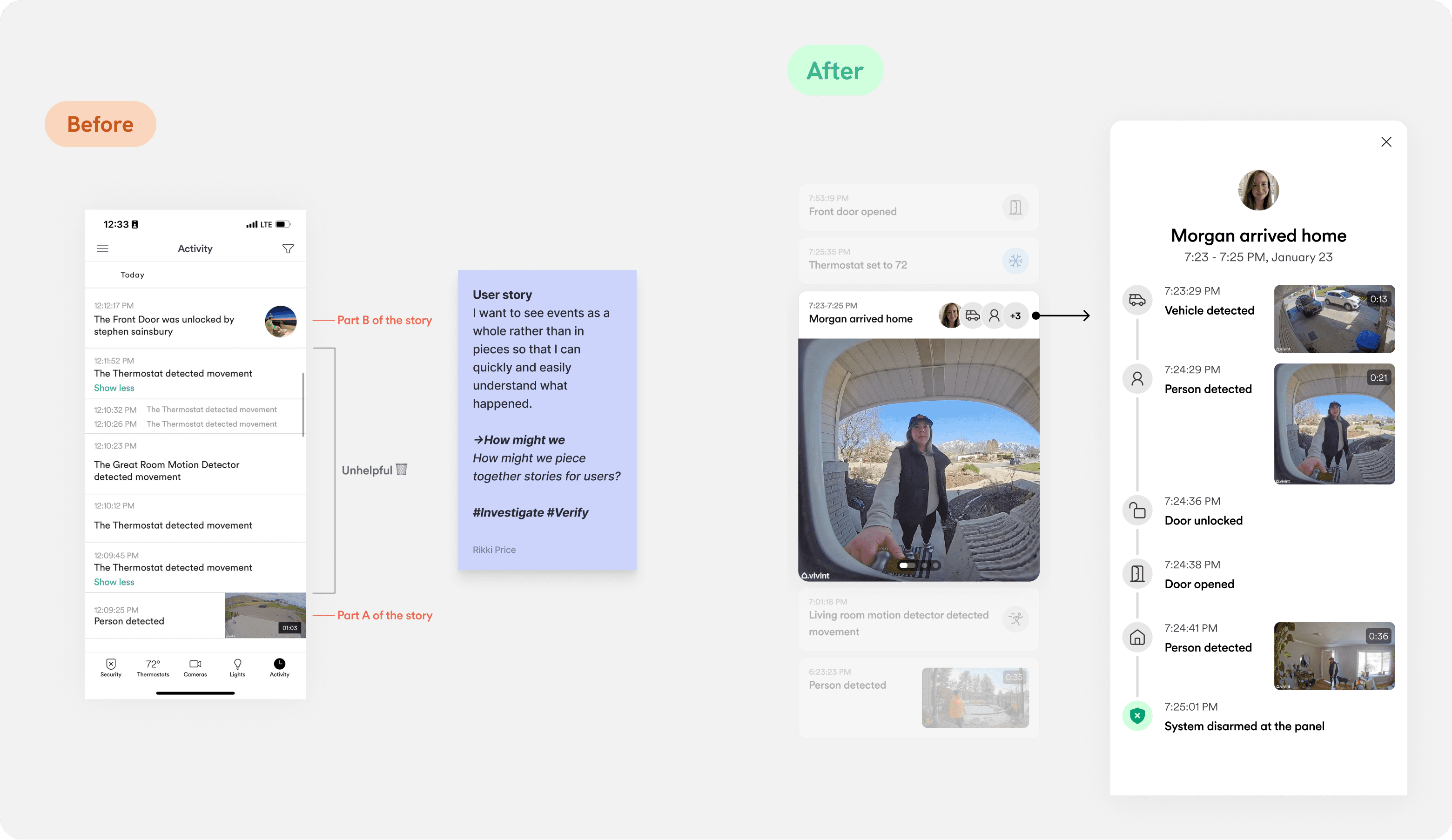
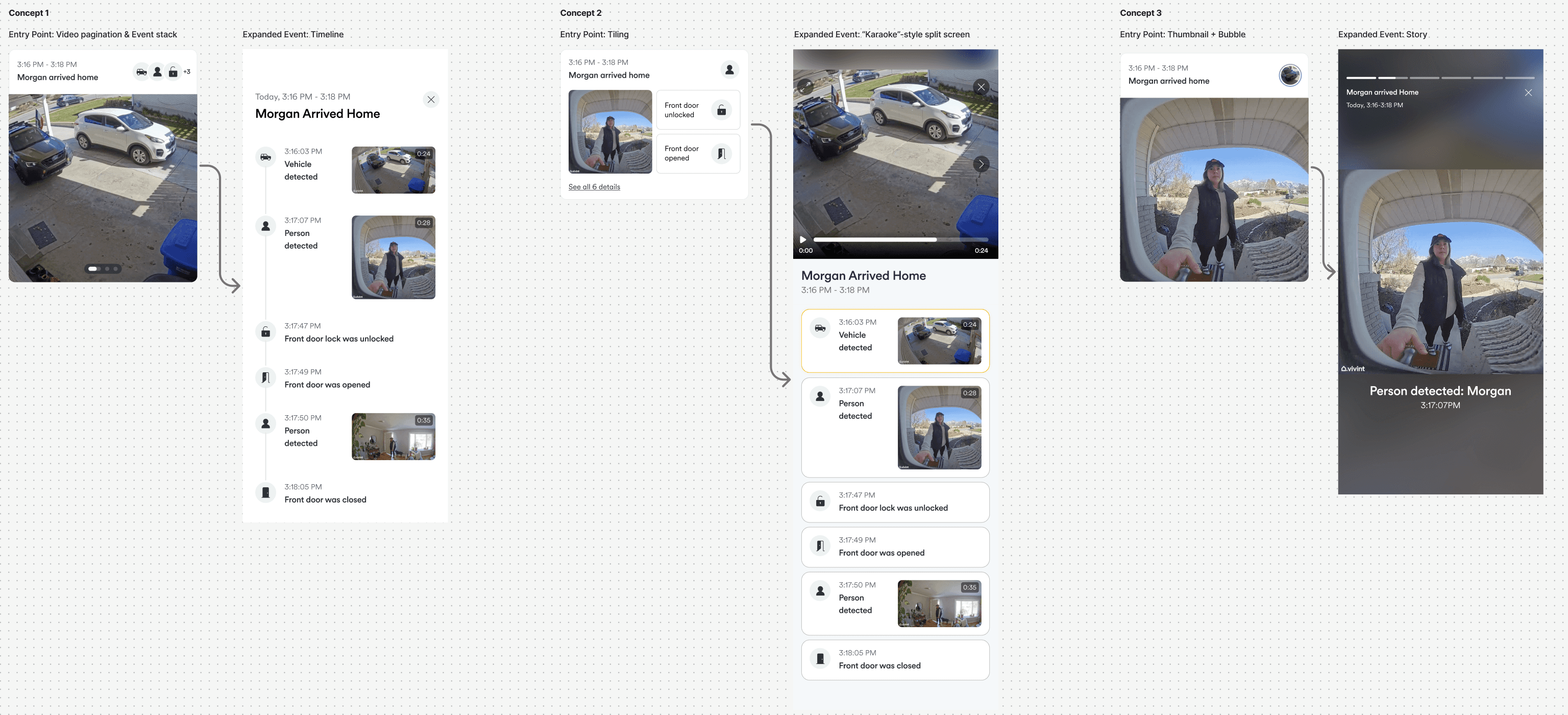
Concept Testing: Overviews > Linear stories
Customer interviews revealed that users preferred to see an overview of the event timeline rather than moving through each piece of it.
Phase 2 Launch
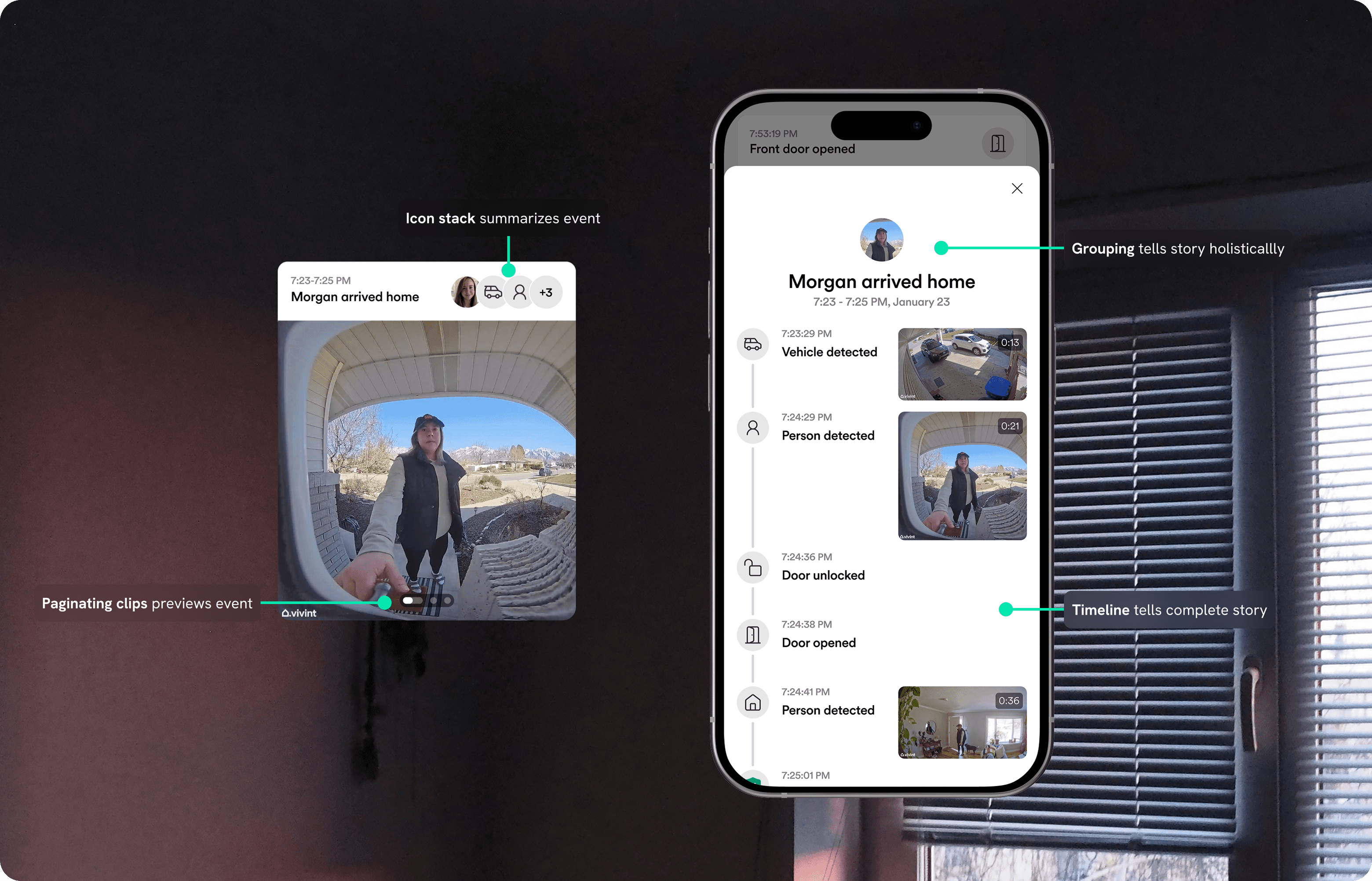
Grouped events and alarm summaries in the Activity Feed reduce user effort to understand home activity.
Investigate
Verify
Grouped events
Related system events are grouped into a cohesive story to directly communicate what happened rather than putting the burden on the user to piece things together.
Investigate
Alarm Summaries
Alarm summaries group all activity related to an alarm into a clear, succinct, and shareable timeline.
Reflections
What I learned
This project made me fall in love with an agile process: moving quickly with a solid plan to measure impact and adjust as needed. I had to develop trusting relationships with engineers and learn where to make tradeoffs while fighting for the user. I also loved the opportunity to continually refine the feed over time.
What I would do differently
I wouldn't try to solve every problem with a single feature! The 3 user goals were directly at odds with one another: what might help them investigate and verify activity would make it harder for them to explore activity, and vice versa. A single feature can't accomplish every goal. Next time I would identify ways we were compromising on meeting a user need and take that as a signal that another solution might be necessary.
Impact & Results
21%
Increase in feature stickiness
75%
Increase in engagement among less active users
8%
Increase in Daily Active Users